
Overview
You can view a learner’s Century Initial Assessment results directly from their Onefile Eportfolio. The results are displayed within the Century tile once access requirements are met.
Accessing Results
- Go to the learner’s Portfolio page.
- Click the Century tile.
Simple View: The Century tile can be found under the Activity tab.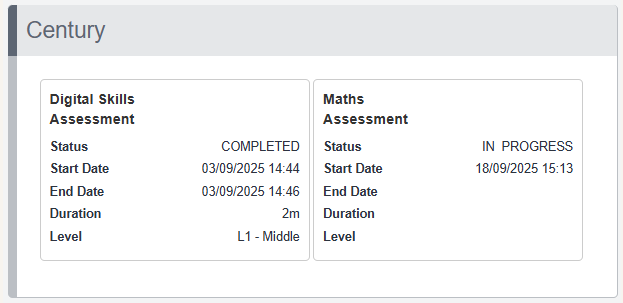
Visibility Requirements
The Century tile will only appear if all of the following are true:
- The user has the Century permission.
- The learner has a verified primary email address.
- The Century integration is enabled in the Integration Hub.
Tips & Notes
- If results are not visible, check the learner’s email verification status.
- Permissions may need to be updated by a Centre Manager.
- Only matched learners will display Century results.
Terminology
The terminology used in this article may differ depending on your Centre’s configuration.
Related Articles
Need Help?
If you need assistance, please contact Onefile Support or your internal support team.