
Overview
This article provides guidance on calculating and recording Off‑The‑Job Training (OTJ) hours for learners created before 1 August 2022, in line with ESFA rules at that time. This legacy method does not apply to learners created after this date.
Always refer to the official ESFA/DfE rules and regulations for the most accurate and up‑to‑date guidance.
Calculating the 20% Off‑The‑Job Target
To calculate the OTJ requirement, consider:
- The apprenticeship duration
- The apprentice’s contracted working hours
Example: Early Years Practitioner Apprenticeship
- Duration: 12 months (excluding EPA)
- Working days: 216 (after removing bank holidays and annual leave)
- Hours per day: 7
Total working hours = 216 days × 7 hours = 1512 hours
Calculate 20% OTJ requirement
20% of 1512 = 302.4 hours
This figure should be entered in the learner’s Timesheet page. Clicking Save will automatically calculate the target OTJ hours. 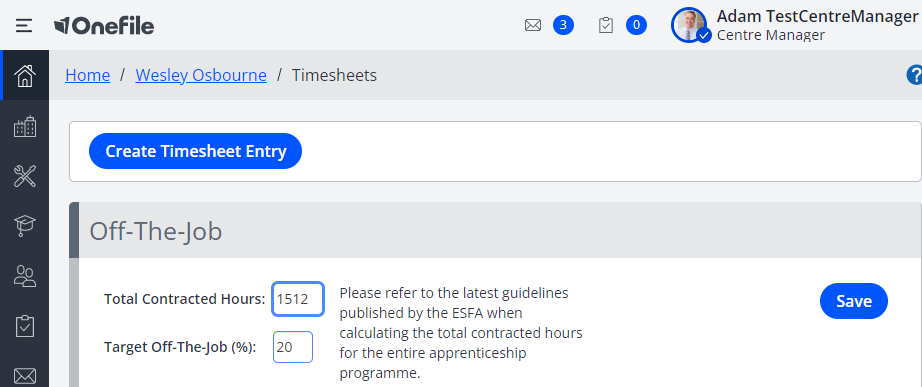
Recording Off‑The‑Job Time
You can record OTJ time using the following features:
- Creating Timesheet entries
- Logging time in Learning Journal entries
- Attending Off‑The‑Job Register Sessions
- Completing Assessments flagged as “Off‑The‑Job”
What Qualifies as Off‑The‑Job?
There are strict ESFA rules about what can and cannot be considered Off‑The‑Job Training. Centres must consult the official ESFA guidance to ensure compliance.
Tracking Actual Off‑The‑Job Time and Percentage
Onefile automatically calculates:
- Total OTJ hours logged
- Percentage of OTJ completed
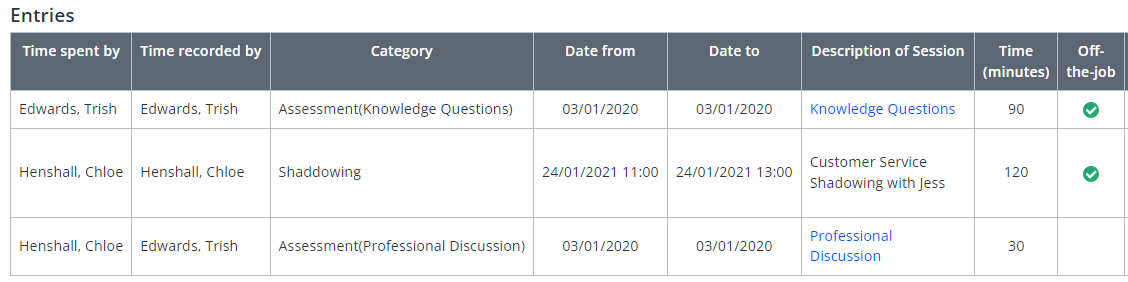
When new entries are added, Onefile updates the learner’s portfolio and recalculates the OTJ figures.  The updated percentage and total hours can be viewed on the Timesheets page.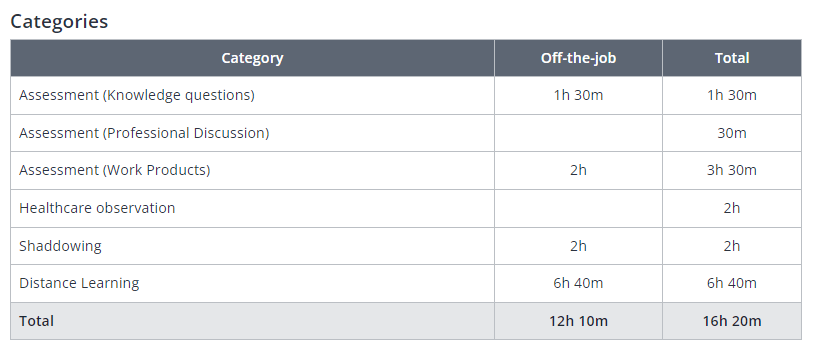
Tips & Notes
- This guidance applies only to learners created before 1 August 2022.
- Legacy OTJ fields remain visible for learners enrolled using the old rules.
- Use the Learner Database Report or OTJ Report for monitoring legacy OTJ learners.
Terminology
Terminology in this article may differ depending on your Centre’s configuration.
Related Articles
Need Help?
If you need assistance or have further questions, please contact Onefile Support or your internal support channels.