
Overview
Centre Managers can request new qualifications directly through Onefile. This includes Regulated Qualifications, Apprenticeship Standards, Functional Skills, and Bespoke Qualifications.
User Roles
This feature can be used by the following user role:
- Centre Manager
Steps to Request a New Qualification
- Log into your Centre Manager account.
- Click Centre in the navigation menu.
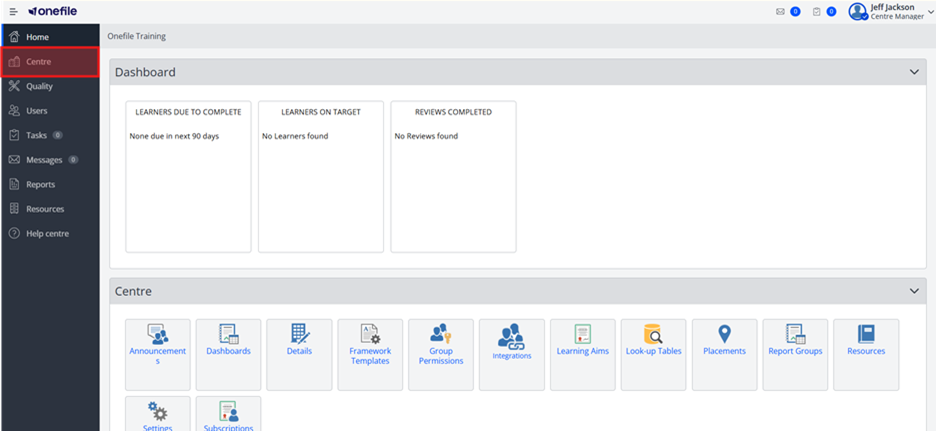
- Select Learning Aims. This may also be named differently based on your centres terminology.
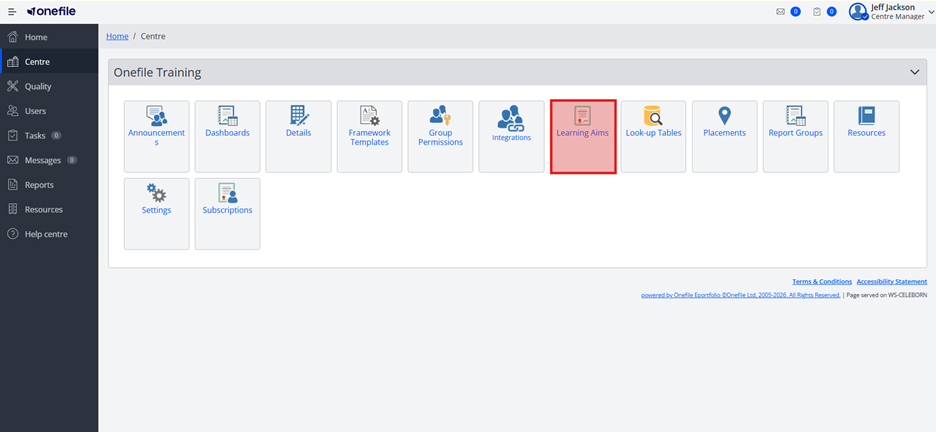
- Click Request.
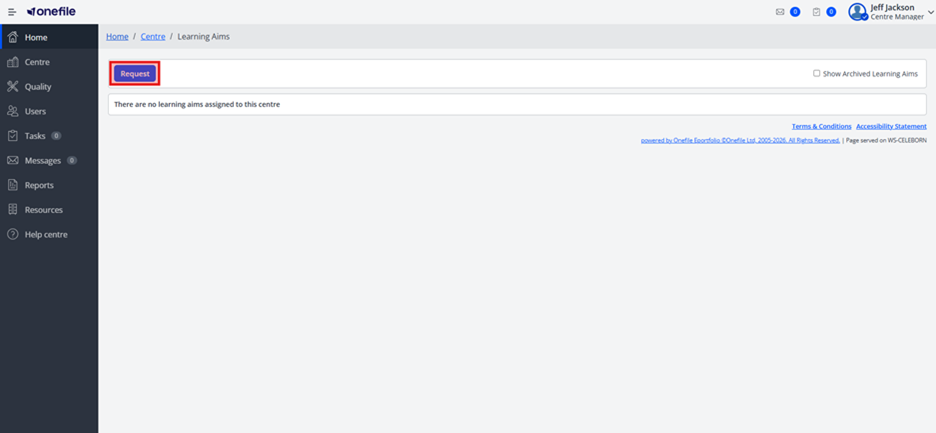
- A new tab will open where you can begin your qualification request.
- Click on the type of learning aim you want to add (e.g., Regulated Qualification, Apprenticeship Standard, Functional Skills, Bespoke).
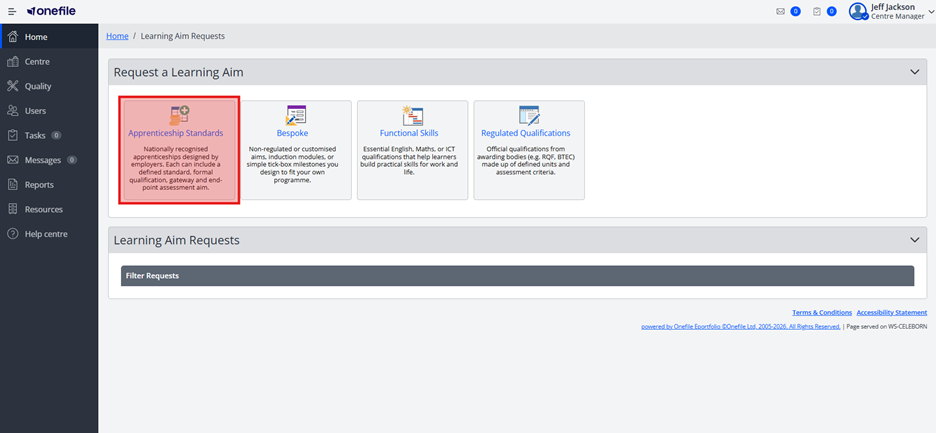
- Use the search bar to find the qualification by code or title.
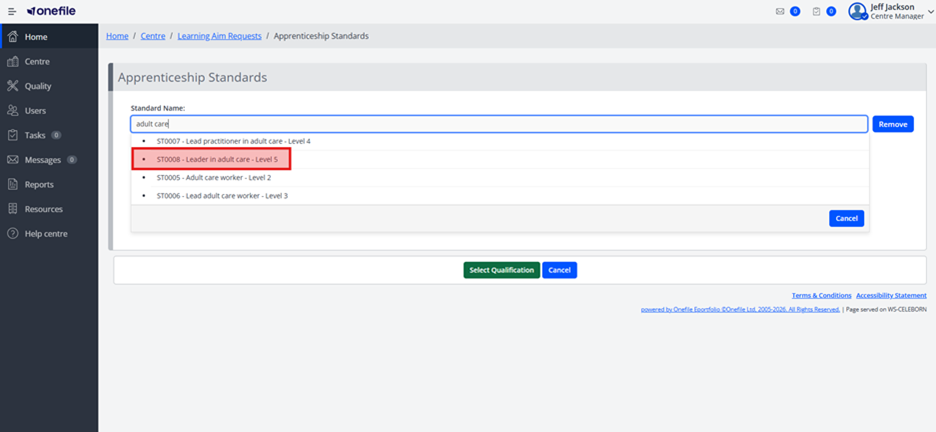
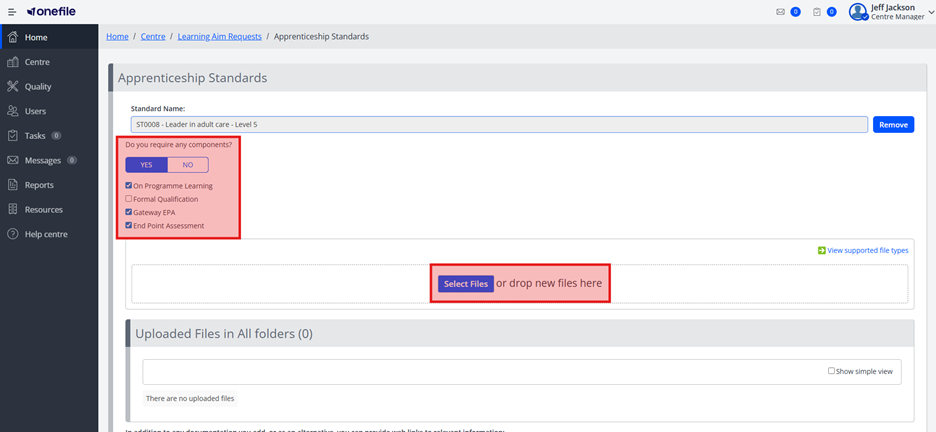
- Fill in the required fields and attach any relevant documentation.
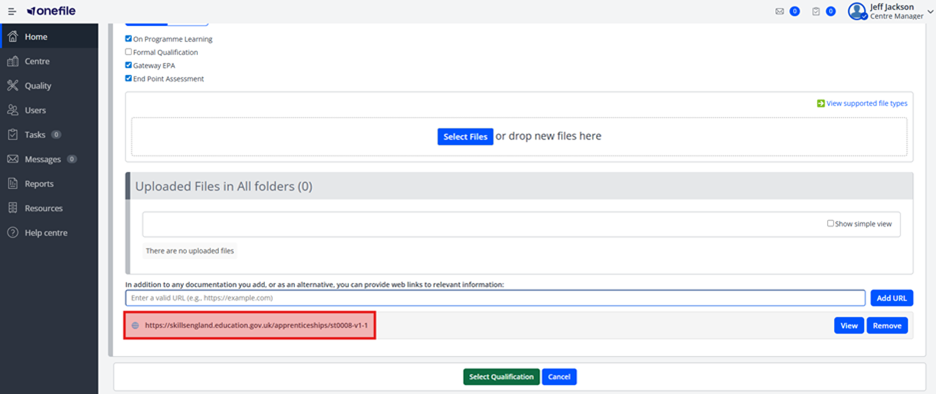
- Add any relevant URLs.
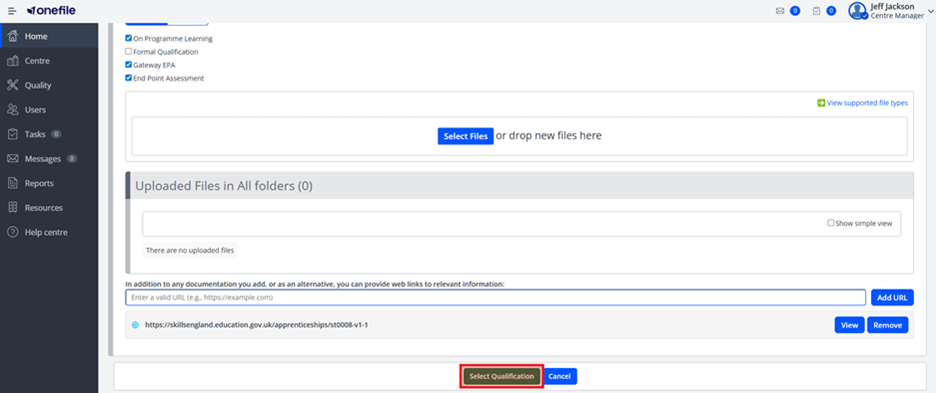
- Click Select Qualification.
- Once you have finished adding all learning aims, click Send Request.
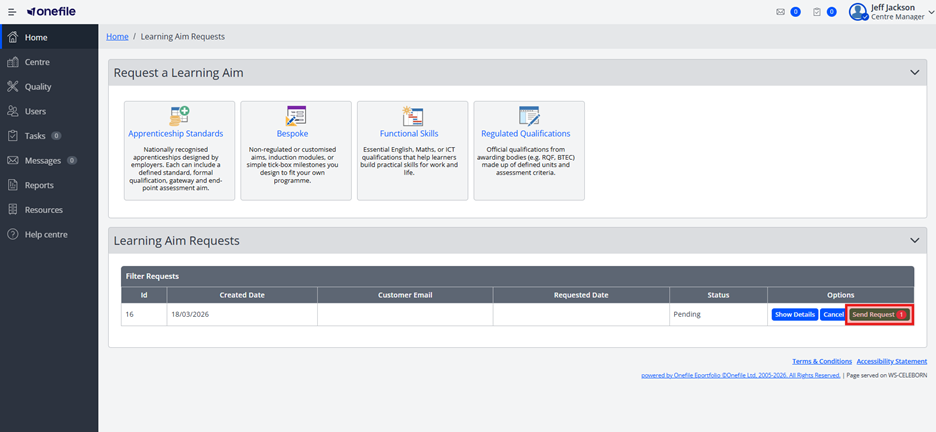
If successful, you will receive an email confirmation that your request has been received.
Missing Qualifications?
If you cannot find a Regulated Qualification or Apprenticeship Standard:
- Submit a Bespoke request.
- Include the title and/or code of the qualification you require.
Terminology
The terminology used in this article may differ depending on your Centre’s configuration. For example, the Learning Aims button may be labelled as Standards or Apprenticeship Standards.
Related Articles
- How long does it take for a new qualification to be built?
- When will a qualification I've approved go Live?
Need Help?
If you encounter any issues or have questions, please contact Onefile Support via:
- Email: standards@onefile.co.uk
- Phone: 0161 638 3876
Alternatively, please contact your internal support channels.