
Overview
Internal Quality Assurers (IQAs) can send Summative Feedback to learners using the built‑in Summative Assessment Feedback Report. This process ensures learners receive the IV’s final feedback for their BTEC assessments after all checks are complete.
User Roles
This feature can be used by:
- Internal Quality Assurer
Centre Setting
To use Summative Feedback for BTEC assessments, ensure the following setting is enabled:
- Require assessors to provide summative feedback (BTEC assessments only)
Sending Summative Feedback
Summative Feedback is managed through the Summative Assessment Feedback Report, located in:
- Reports → Internal Verifier section
The report will appear similar to the example shown below:
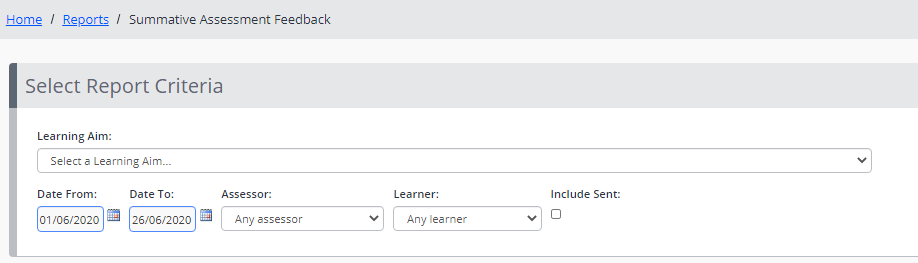
Any Summative Feedback that matches your selected report criteria and has not yet been released to the learner will appear in the table beneath the criteria.
Steps to Send Summative Feedback
- Tick the checkbox next to the feedback you wish to release.
- Click Send Summative Feedback.
Once sent, the feedback becomes visible to the learner, employer, and observer (where applicable).
Tips & Notes
- Only Summative Feedback that has not already been released will appear in the table.
- Assessors cannot sign off a BTEC assessment unless summative feedback has been completed.
- Feedback is only visible to learners after the IV manually sends it from the report.
- The report criteria help filter by status, assessor, unit, or date range.
Terminology
The terminology used in this article may differ depending on your Centre’s configuration.
Related Articles
Need Help?
If you need assistance, please contact Onefile Support or your internal support team.