
✨New feature alert
This feature is available from Wednesday 25th February 2026.
Overview
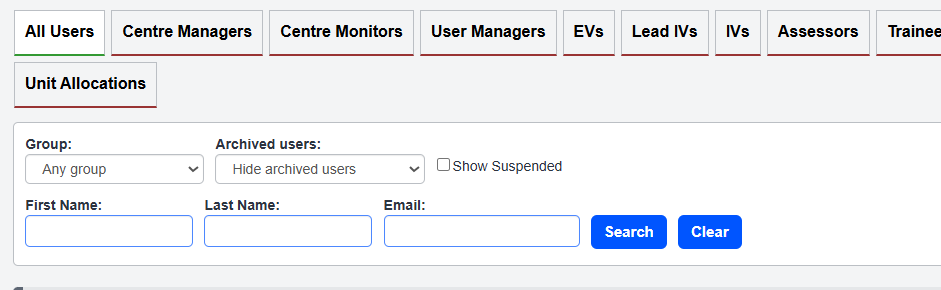
A new “Show Suspended” checkbox has been added to the Users page. This allows you to include or exclude suspended users when viewing your user list, making it easier to locate inactive accounts when needed.
Permissions
Who Can Use This Feature?
This feature is available to users who have permission to access and manage the Users page.
Steps
- Navigate to the Users page.
- Locate the Show Suspended checkbox.
- Tick the checkbox to include suspended users in the list.
- Untick the checkbox to hide suspended users.
Tips & Notes
- Useful for Centres that regularly audit user access or reassign accounts.
- Suspended users remain hidden by default to reduce page clutter.
- The filter updates instantly after changing the checkbox selection.
Terminology
Please note that the terminology used in this article may differ depending on your Centre.
Related Articles
Need Help?
If you need assistance, please contact Onefile Support or your internal support team.