
✨Updated feature alert
This feature is updated from Thursday, 17th September 2026.
Overview
The Main Learning Aim is the primary qualification a learner is working towards. This setting controls how learning aims display throughout Onefile Eportfolio and is used for reporting and progress tracking. Centre Managers define which aims are available to select as the main aim for individual learners.
What's Changed?
From Thursday 17 September 2026, learning aims are made available as Main Learning Aim options from the learning aim's Edit dialog. Instead of ticking a column directly on the Learning Aims grid, you now open each aim with Edit first, set the option, and save.
User Roles
This feature can be used by:
- Centre Manager
Steps to Make a Learning Aim Available as a Main Learning Aim Option
- Click Centre in the left-hand navigation bar.
- Click Learning Aims.
- Find the learning aim you want to make available, then click Actions, then Edit to open the Edit Learning Aim dialog.
- Enable the Main Learning Aim option for that aim.
- Click Save.
Repeat these steps for each learning aim you want to make available as a main aim.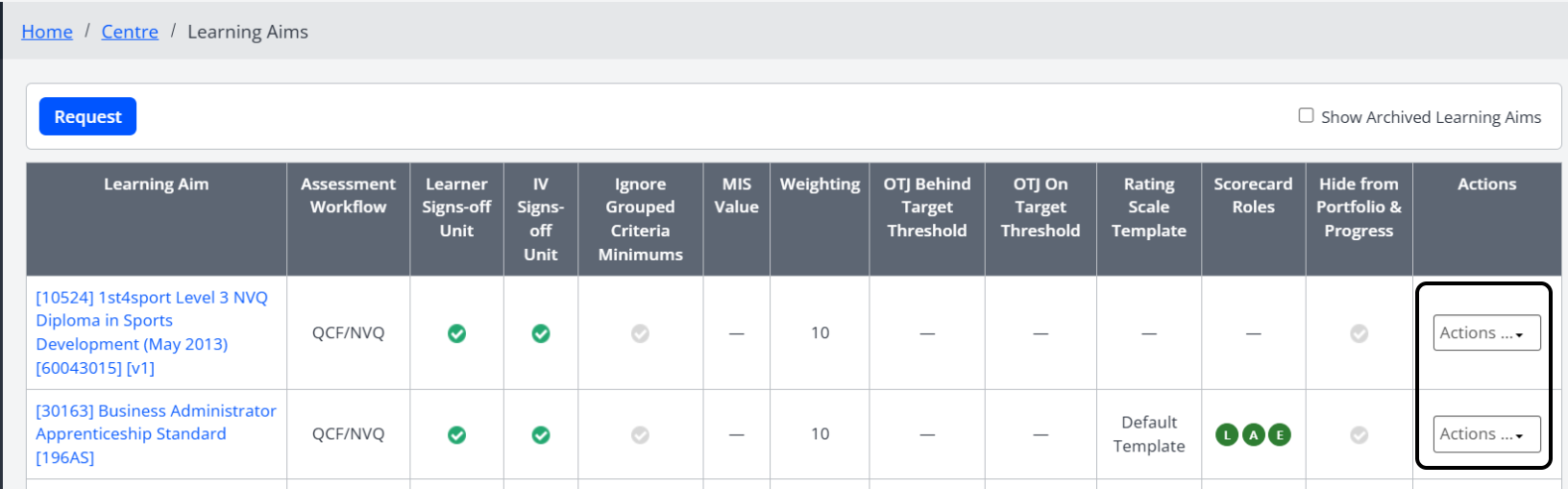
Steps to Set the Main Learning Aim for a Learner
If a learner is assigned to more than one learning aim that is eligible to be a Main Learning Aim:
- Go to the learner's Learning Aims page.
- Click Select Learning Aims.
- Choose which aim should be the Main Learning Aim.
⚠️ Important: If no selection is made, Onefile Eportfolio automatically assigns the Main Learning Aim based on the aim that appears first alphabetically.
Tips & Notes
- You must enable a learning aim at Centre level, through its Edit dialog, before it can be selected as the main aim for learners.
- Because the setting is now made per aim in the Edit dialog, enable each aim individually rather than ticking several at once on the grid.
- Changing the main learning aim does not remove the learner's other learning aims.
- The main learning aim affects reporting and displays across the learner portfolio.
Terminology
The terminology used in this article may differ depending on your Centre's configuration.
Related Articles
Need Help?
If you need assistance, please contact Onefile Support or your internal support team.