
Overview
There are two ways to plan a Visit in Onefile Eportfolio: through an Assessment Plan or by Scheduling a Review. Both methods ensure planned visits appear in your Onefile Calendar to support effective learner management.
User Roles
This feature can be used by:
- Assessor
- Trainee Assessor
Planning a Visit via an Assessment Plan
When creating an Assessment Plan, you can use the Set Next Planned Visit section to schedule your next visit with the learner.
In this section, you can enter:
- The Start and End Date
- The Start and End Time
- The Visit Type (Remote session or Face-to-Face)
- The location (for Face-to-Face visits)

Once the plan is signed, the visit will be added to your Onefile Calendar.
Planning a Visit via a Review
When you schedule a Review for a learner, Onefile automatically creates a Visit linked to that Review.
This Visit will:
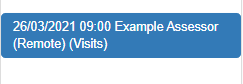
- Appear in your Onefile Calendar
- Include the date, time, and visit type you set when scheduling the Review
Tips & Notes
- Assessment Plan Visits give you more flexibility over visit detail and structure.
- Review Visits are created automatically once a Review is scheduled.
- All planned Visits can be viewed in your Onefile Calendar for easy management.
Terminology
The terminology used in this article may be different depending on your Centre’s configuration.
Related Articles
Need Help?
If you need assistance, please contact Onefile Support or your internal support team.